Picture Style


|
Picture Style |
|
|
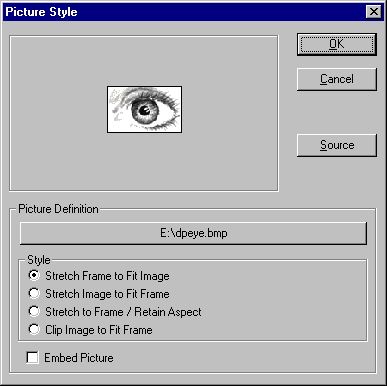
The Picture Style dialog allows you to configure attributes associated with the Picture object.
The large button in the Picture Definition section has a dual purpose depending on the source of the picture. If the picture was retrieved from a file, pressing the button displays the File Open dialog where you can select another image file. If the picture was retrieved as the result of an expression, pressing the button displays the Expression Builder where you can modify the expression.
The image Clipping Style can also be specified as follows:
You can also choose to Embed the Picture in the report file so that the report is not dependent on the image file being available when the report is run. Use this option when you cannot guarantee that the image file will exist on the system where the report will be printed.
The Source button allows you to redefine the source of the image. The dialog displayed when you press this button is the same one encountered when creating a Picture object. See the chapter entitled "Drawing Tools" for more details.
|