|
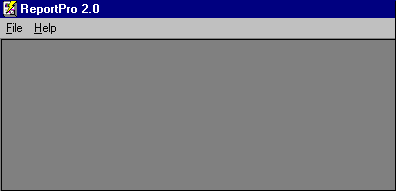
The shell window menu is displayed when you first start ReportPro. The shell menu contains the menu options necessary to create a new report or open an existing one.
File
The File menu contains the options necessary to create, open and save a report. When you select the File menu option, additional options are displayed. Each of the menu options are discussed below.
Menu Option
|
Description
|
New, Standard Report
|
Creates a standard report.
|
New, Label Report
|
Creates a columnar or label report.
|
New, Cross-Tab Report
|
Creates a cross-tab report.
|
New, Standard Report Wizard
|
Launches the standard report wizard.
|
New, Label Wizard
|
Launches the label report wizard.
|
New, Cross-Tab Wizard
|
Launches the cross-tab report wizard.
|
Open
|
Opens an existing ReportPro report.
|
Setup, ReportPro
|
Displays the ReportPro Setup dialog where you can specify options that affect how ReportPro operates.
|
1 - N (last used reports)
|
Quickly access the most recently used reports.
|
Exit
|
Terminates ReportPro.
|
Help
The Help menu allows you to access ReportPro's help system. The help system provides detailed information about ReportPro.
Menu Option
|
Description
|
Index
|
Displays the ReportPro help file index.
|
Using Help
|
Displays help on how to use the windows help system.
|
About
|
Displays the ReportPro About dialog.
|
|


